REX forward is required in case the REX details need to be sent to another client group ID. There are no change to the details on the REX. The Exporter number on the REX does not change.
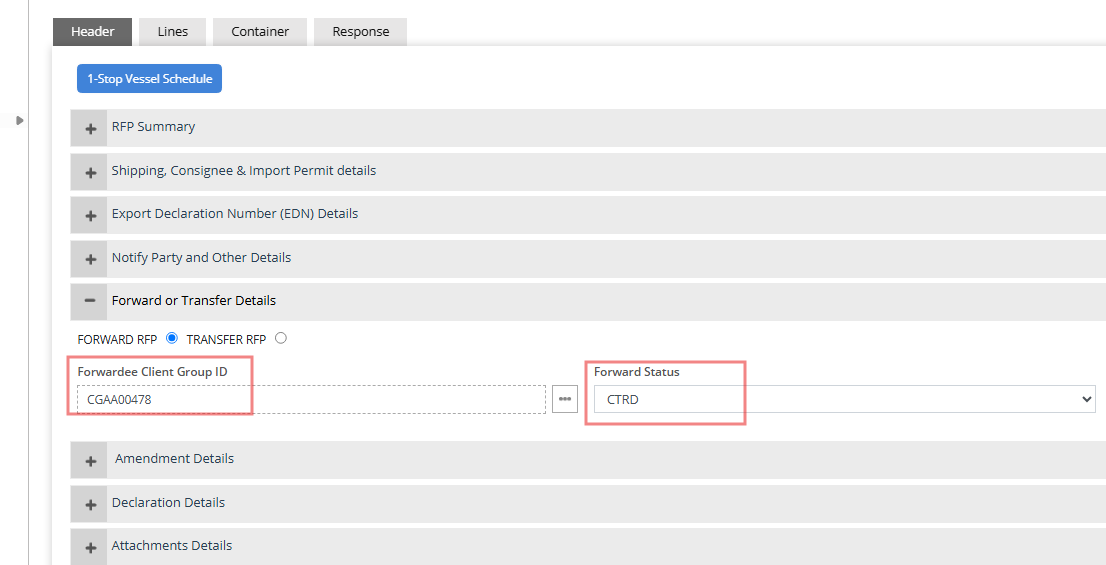
Click on Forward / Transfer section on REX Header and enter the Forwardee client group ID and select REX current status from status dropdown.
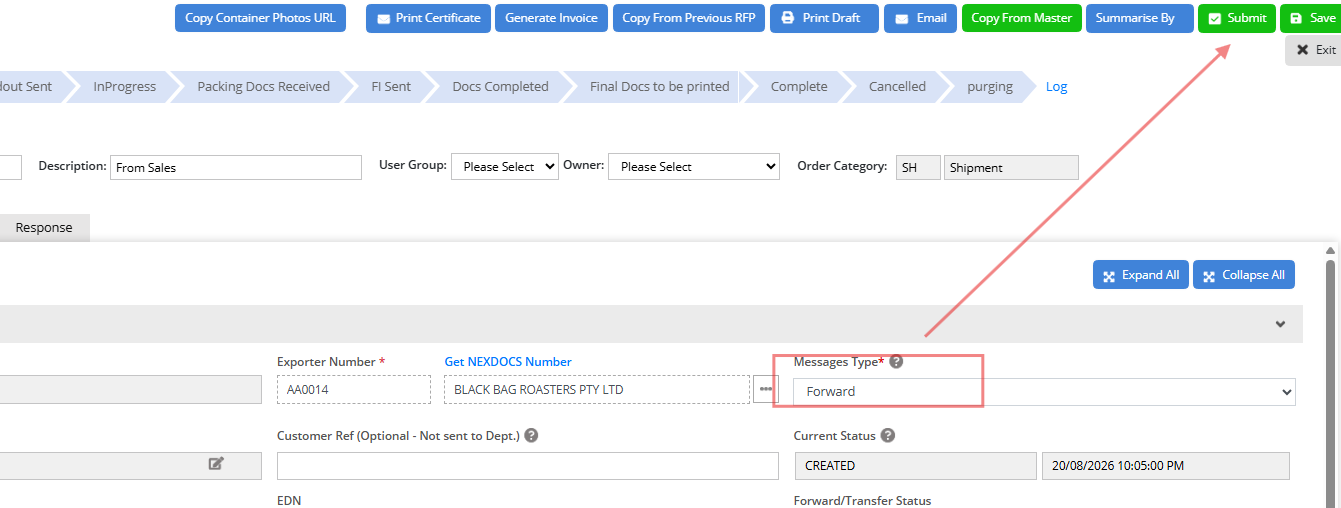
Change message type to "Forward" and the submit the REX. REX will be forwarded to the designated client group ID.
Was this article helpful?
That’s Great!
Thank you for your feedback
Sorry! We couldn't be helpful
Thank you for your feedback
Feedback sent
We appreciate your effort and will try to fix the article