If you intend to update the Process Type Details under REX line items, kindly folow the below steps:
1. Edit the REX and under REX header keep the message type to "Amend".
2. Edit the REX line Item, where you intend to amend the Process details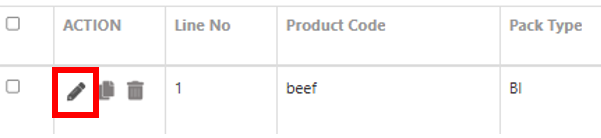
3. Once the line is open, scroll down to Process details section and expand the section.
4. Now click on the Check Box against the Process row which you intend to amend 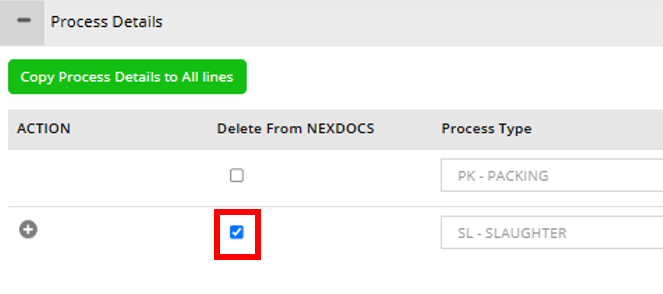
5. Now make the submission.
6. Once the REX status is back and the Row is deleted, add a new process line of the new details and save the line and make the submission.
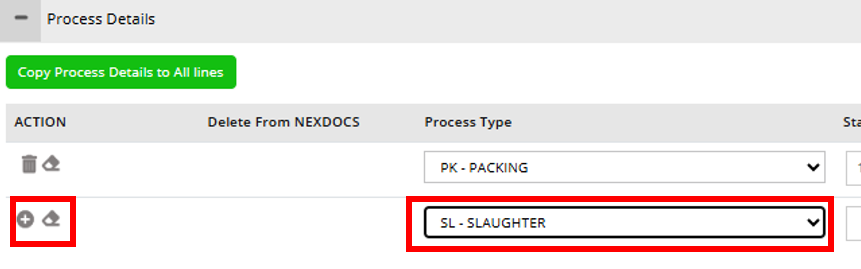
Following the above steps, user can amend the Process details in a REX.
Was this article helpful?
That’s Great!
Thank you for your feedback
Sorry! We couldn't be helpful
Thank you for your feedback
Feedback sent
We appreciate your effort and will try to fix the article