This guide demonstrates the comprehensive changes on MEAT export REX within the ImpexDocs platform.
Users will learn how to input necessary permit details, manage container information, and effectively submit documentation for regulatory compliance.
NOTE - To understand different Message Types and Status , separate articles are available in Knowledge bank. See link at the end of this document.
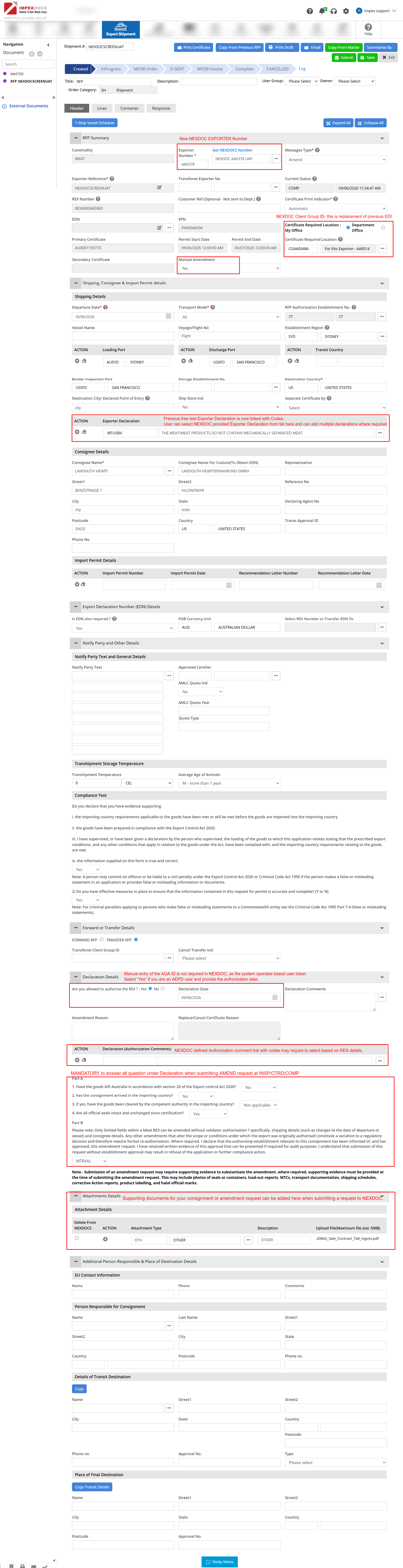
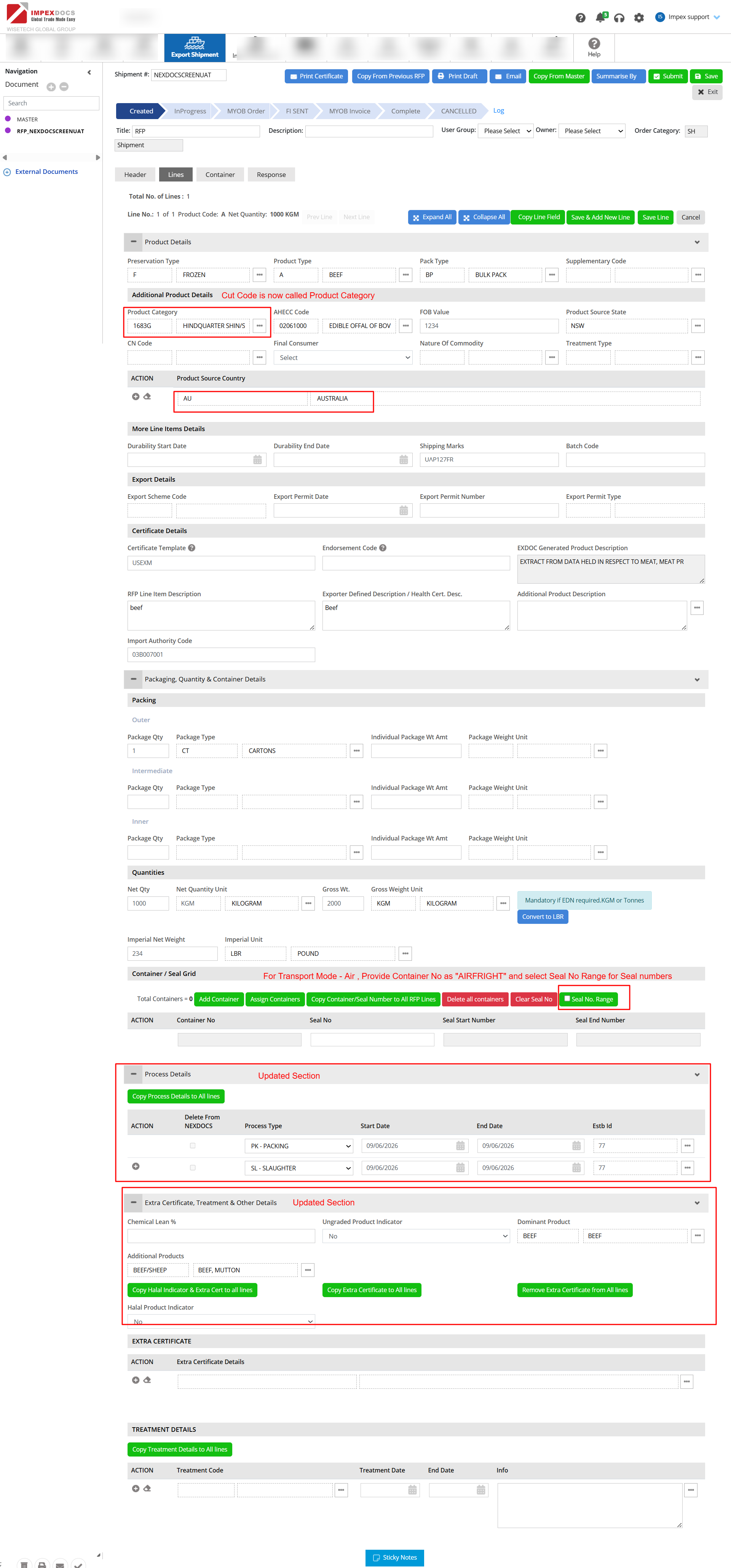
Key changes on MEAT REX SCREEN
Kindly require marked key changes in NEXDOC Screen marked in "RED".
Header Section -
Line Section -
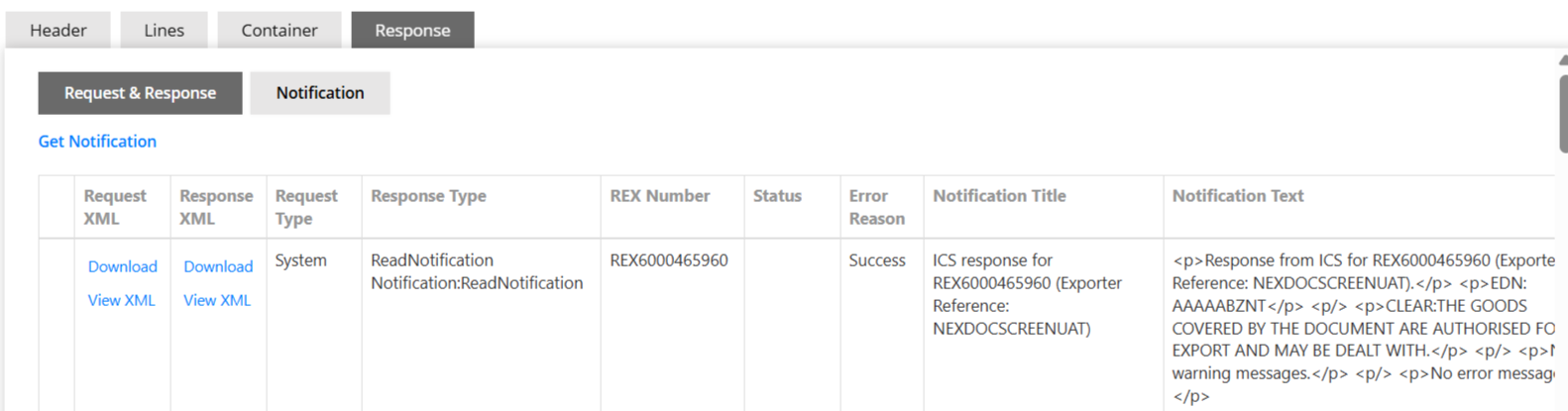
Response Section - To review Response/Error/Rejection/Review reasons,For more detail of Response tab , please review separate Article
How to check ERRORS / Rejections / Responses on REX?
Other Useful article Links
- REX - When to submit Amend or Replace request
Was this article helpful?
That’s Great!
Thank you for your feedback
Sorry! We couldn't be helpful
Thank you for your feedback
Feedback sent
We appreciate your effort and will try to fix the article