1. Update Partner Profile for new NEXDOC Exporter Number
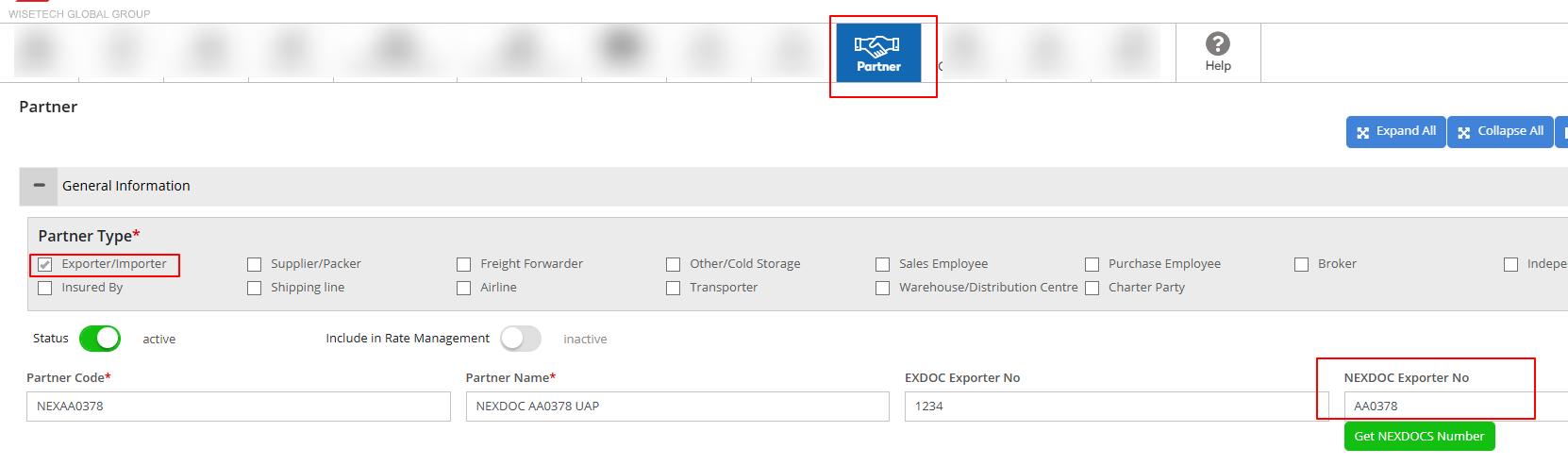
Go To > Partner, look for your Exporter and add the NEXDOC Exporter number
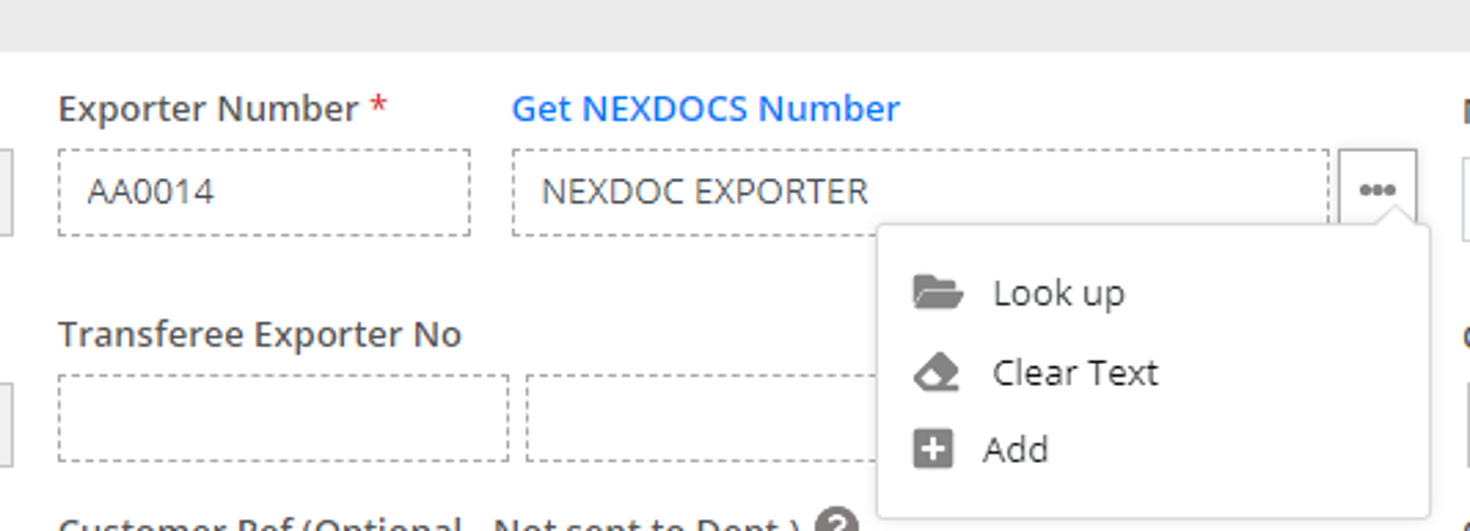
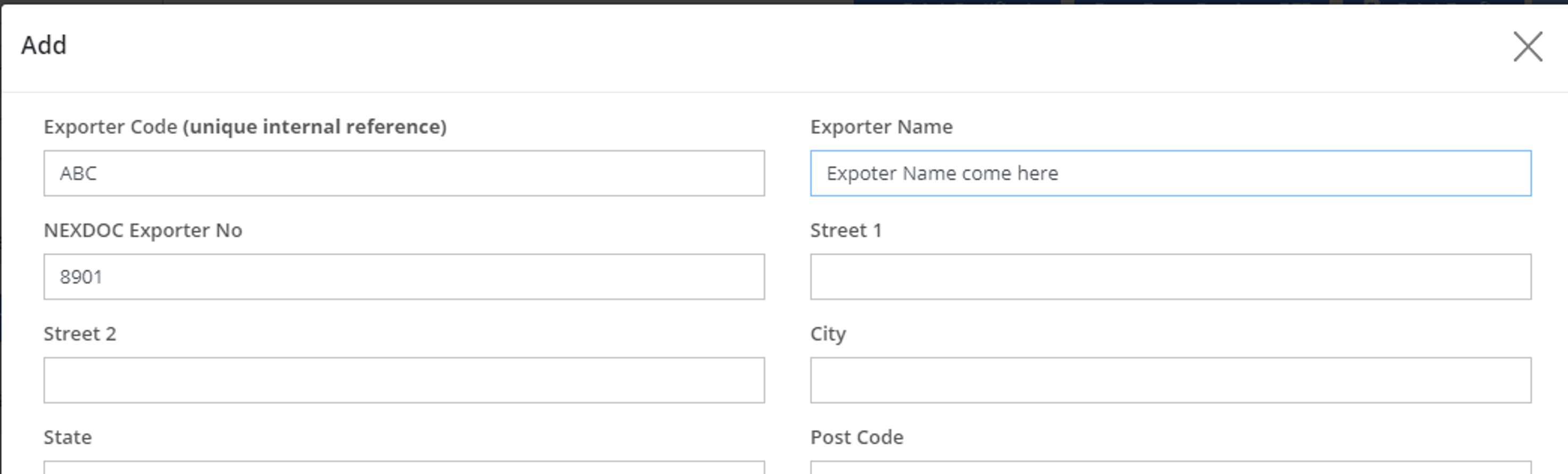
Alternatively, on the REX click on the Add option, and add the new Exporter along with the NEXDOC Exporter number and unique exporter internal code, exporter name
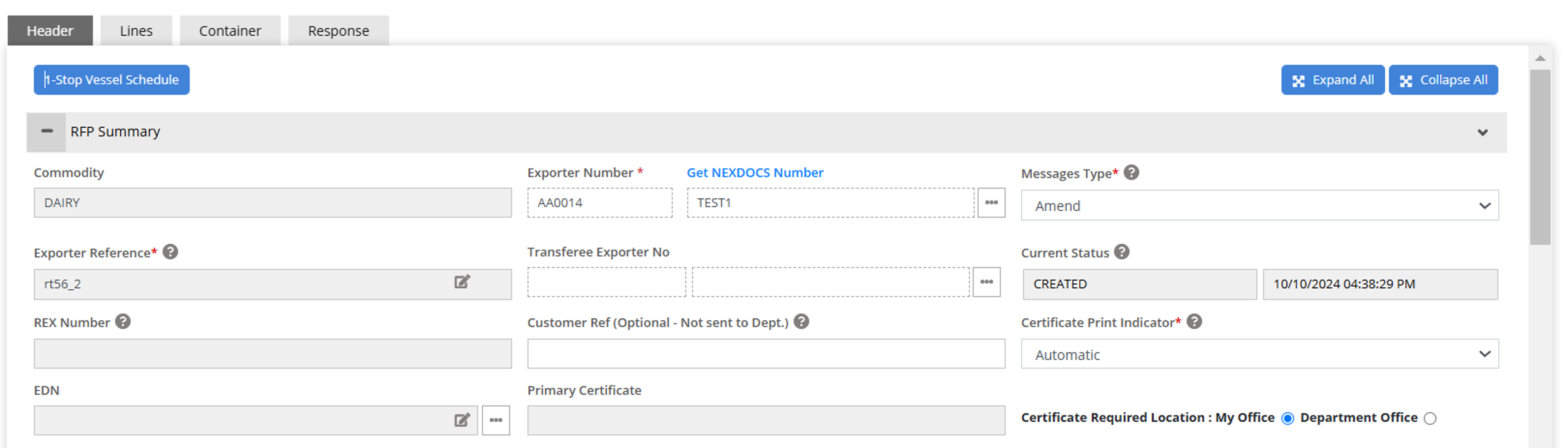
When you raise a REX, please ensure that you enter the new NEXDOC Exporter number when you raise a REX.
2. Print Location - Update EDI Detail
To add To add Print location/Client Group Id to your drop down
Go To Settings> EDI User Details
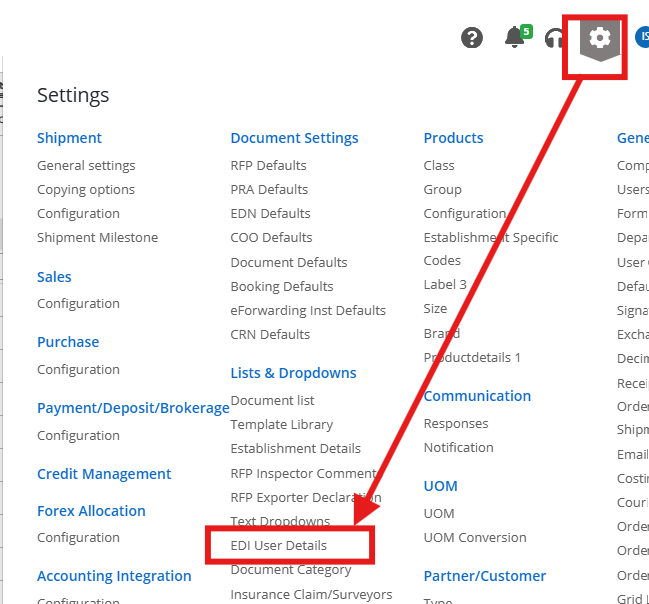
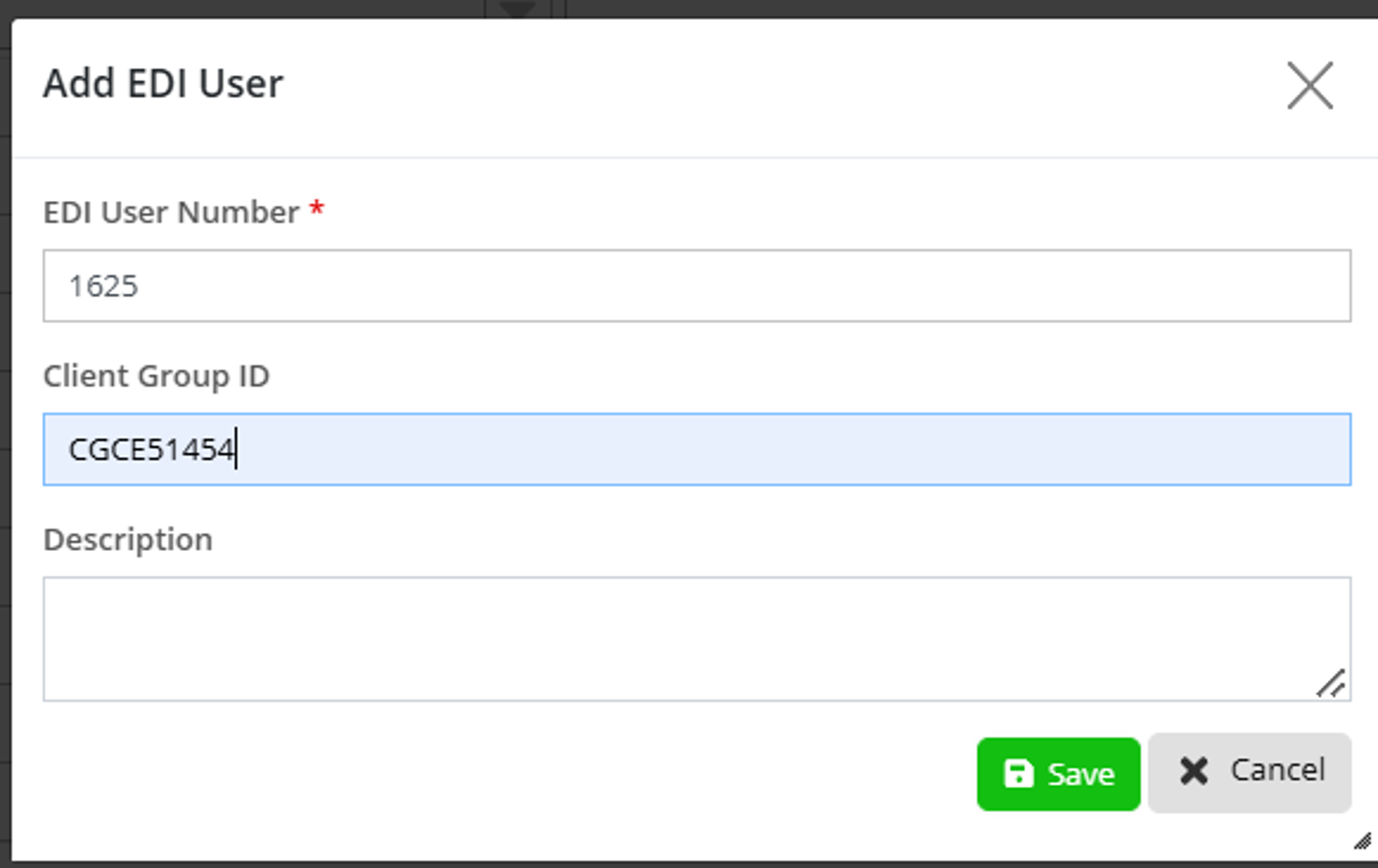
Click on Add or Edit key update the new client group Id.
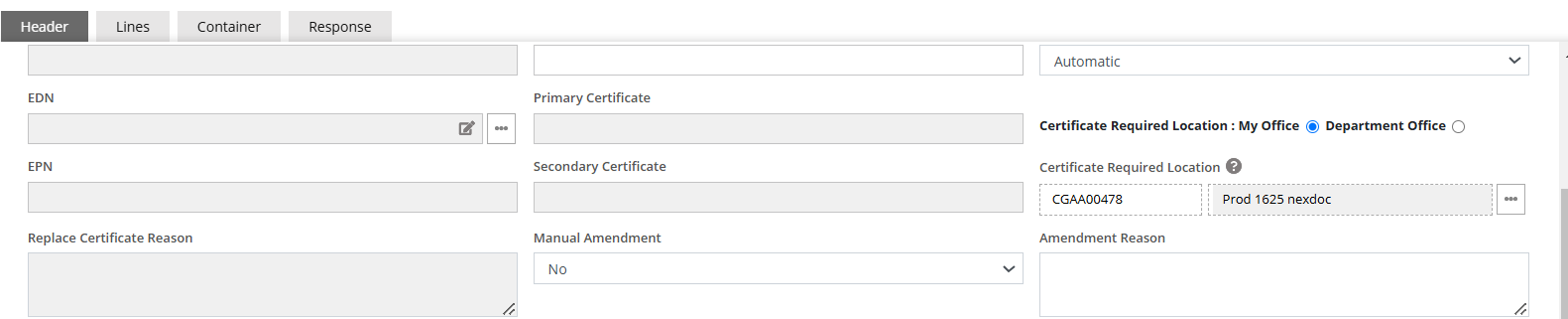
Print Location on REX
On the REX, please ensure that the print location is the Client Group ID if you want to print in your office and not the old EDI user number.
Was this article helpful?
That’s Great!
Thank you for your feedback
Sorry! We couldn't be helpful
Thank you for your feedback
Feedback sent
We appreciate your effort and will try to fix the article